
More Control with the GDFM Gas Detector Fleet Manager
On a busy site, gas detectors get passed between users, shifts and contractors. Keeping track of who has which instrument, and whether it’s charged and in date, quickly turns into a sign out sheet and someone chasing units at the end of the week.
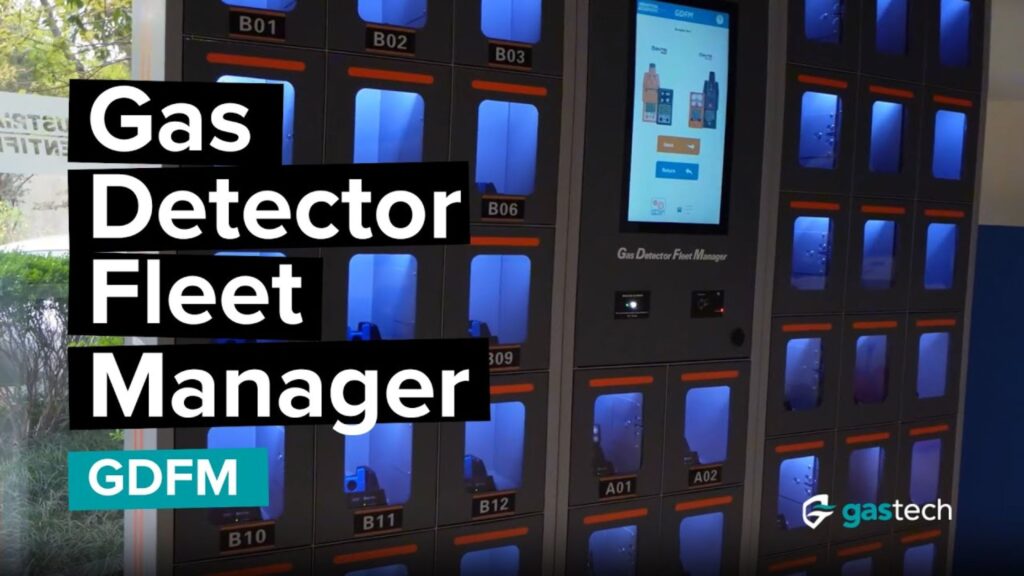
Industrial Scientific’s Gas Detector Fleet Manager (GDFM) takes that job off your hands. It’s a cabinet system that stores, charges, issues and tracks portable gas detectors, so the right instrument goes out at the start of each shift without anyone having to manage it.
What Is the GDFM?
The GDFM is a set of locked cabinets for portable gas detectors. A worker presents an ID card, barcode or QR code, the cabinet checks they’re approved, and a cell opens with a charged instrument in it. At the end of the shift, they scan the instrument back in.
There are two cabinet sizes. A Prime cabinet holds 6 instruments, and a Satellite holds 18. One Prime supports up to six Satellites, so a single installation can manage up to 114 instruments.
Only Ready Instruments Go Out
This is what makes the GDFM more than a locker.
By default, the cabinet only issues instruments that are fully charged. Each cell charges what it holds and shows whether it’s full, charging or empty.
It also won’t issue an instrument with a bump test or calibration due. The cabinet checks for expired tests on a schedule, so a non compliant instrument stays locked away, rather than going out with a warning attached.
A Record Without the Paperwork
The cabinet records each issue and return against the user, so who had which instrument on a given day is a quick lookup, not an investigation. Automated reports show fleet usage, performance and inventory levels.
That record is useful in an incident investigation, and it often shows a fleet is bigger than it needs to be, or stored in the wrong place.
Paired With iNet Exchange
Where the fleet is on an iNet Exchange subscription, the GDFM adds proactive maintenance. Device health is monitored, and replacement units are dispatched within 48 hours, so a failing instrument is swapped out rather than worked around.
The instrument list syncs with your iNet account, and the cabinet connects to your network by LAN.
Who Is It For?
The GDFM suits sites with large fleets, multiple shifts or a lot of contractor movement. That includes mining, oil and gas, chemical manufacturing, utilities and infrastructure.
Key Benefits at a Glance
- Only charged, in date instruments are issued
- Who used which detector, and when, is recorded automatically
- No sign out sheet, and no one chasing returns
- Proactive replacement when paired with iNet Exchange
- Scales from 6 instruments to 114
Common Questions
How many detectors can a GDFM hold?
A Prime cabinet holds 6 instruments and a Satellite holds 18. One Prime supports up to six Satellites, for up to 114 instruments.
Will it issue an instrument that’s overdue for a bump test?
No. By default, instruments with a bump test or calibration due can’t be taken out.
Do I need iNet Exchange to use it?
The GDFM syncs with an iNet account. Pairing it with iNet Exchange adds proactive maintenance and replacement within 48 hours. Talk to our team about the right setup for your site.
A Smarter Way to Manage Gas Detectors
The GDFM puts control back with the safety team. Instruments go out charged and in date, returns are tracked, and the records build themselves.
To learn more, visit our GDFM product page, or get in touch with the Gastech team to arrange a walkthrough.