

easyEmission
Emissions Analyser Software
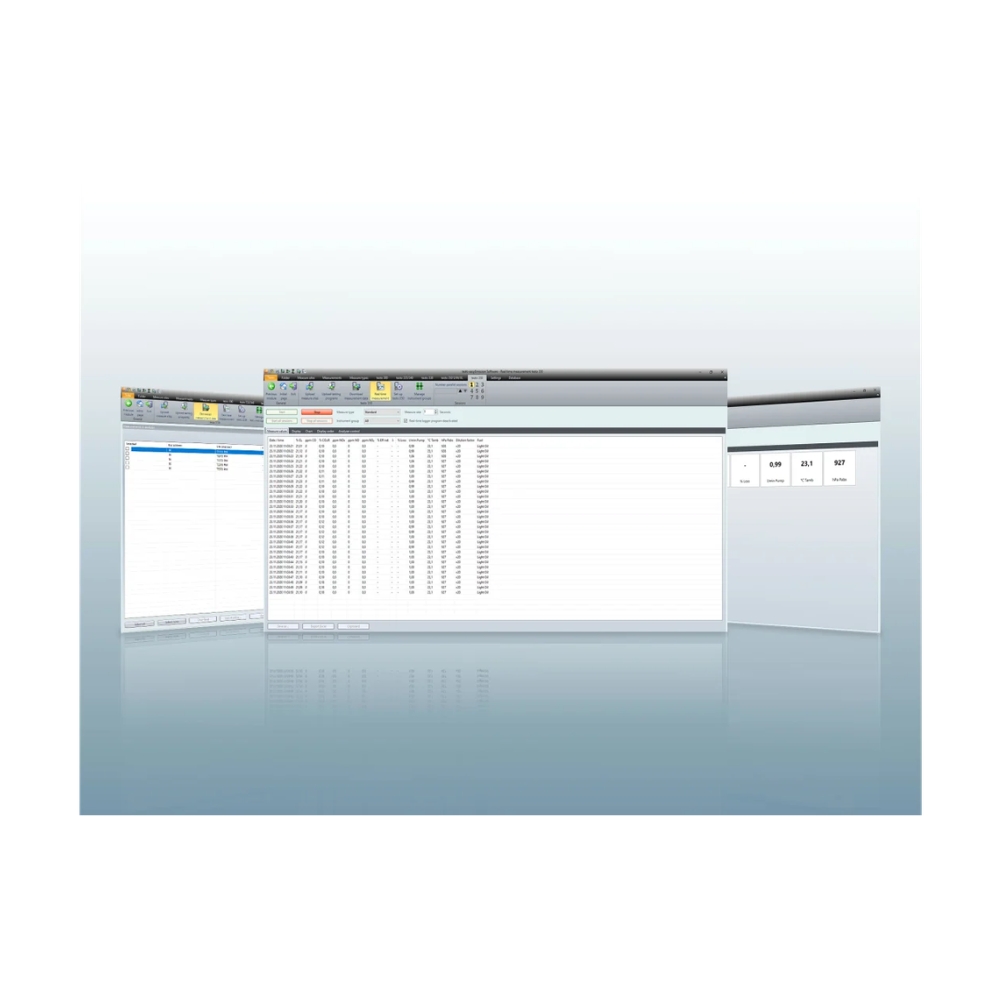
testo easyEmission is the PC software for the testo 335, testo 340 and testo 350 emissions analysers. It configures the analyser, manages measurement data by folder and location, runs online measurements on up to nine analysers at once, and exports results to Microsoft Excel. Results show as a table or a graph, and measurement protocols can be set up, saved and printed.
KEY BENEFITS
- Works with the testo 335, testo 340, testo 350 S/M/XL and testo 350
- Online measurement on up to nine flue gas analysers at once, controlled from your PC
- Add your own fuels, so efficiency and loss calculations stay correct on unusual fuels
- Results shown as a table or a graph, with export to Microsoft Excel
- Set up, save and print measurement protocols from your imported data
+ more in the Description tab below
Which Analysers It Works With
testo easyEmission is the PC software for Testo’s industrial emissions analysers: the testo 340, testo 350, testo 350 S/M/XL and testo 335.
It adds useful functions to those analysers: configuring the instrument from the PC, managing measurement data by folder and location, importing data from and exporting it to the analyser, and running online measurements directly from the computer.
Online Measurement
The online measurement module runs up to nine flue gas measurements at the same time, with the analysers controlled from the PC and readings sent straight to it.
On the testo 350, analysers can be set up in instrument groups, which the software then controls like a single instrument. That suits multi point measurement on a large plant.
The measurement cycle is set by you. The fastest cycle depends on the analyser and connection: 1 second on the testo 335, 340 and 350, and on the testo 350 S/M/XL over USB. Over a serial connection, the testo 350 S/M/XL is 5 seconds per analyser. A fast cycle shows a combustion adjustment taking effect, rather than only the before and after values. A slower cycle lets a measurement run across a shift without creating an oversized file.
Fuels You Can Define Yourself
Combustion efficiency and flue gas loss are calculated from the fuel, not measured directly, so the fuel selected decides whether those figures are right.
The standard list covers the common fuels. Where a fuel isn’t on it, it can be added manually, which matters for blended fuels, landfill gas and biogas, and waste derived fuels. Without the right fuel, the analyser still reads the gases correctly, but the calculated values are wrong.
Managing and Sharing the Data
Measurement data is organised by folder and measuring location, so a site with several plant items stays easy to work with.
Results can be shown as a table or a graph, depending on what you’re looking for. A trend across a tuning exercise reads better as a graph, and a set of compliance figures reads better as a table.
Data exports to Microsoft Excel, which suits anyone who’d rather analyse results in a spreadsheet they already know. Measurement protocols can be set up, saved and printed from the imported data, so the report reflects your format and the client’s requirements.
System Requirements
easyEmission runs on Windows Vista, 7, 8 and 10, with other systems on request. It needs a USB 2.0 port or better, 150 MB of free hard drive space and the Microsoft .NET 4 Framework. Administrator rights are needed to install it.
A licence key unlocks the software. Without one, it runs as a demo version with limited functions for 30 days, so it can be tried before committing.
Where It’s Used
Combustion tuning and commissioning. Emissions testing and reporting. Boilers, burners and industrial heating plant. Gas engines and turbines. Power generation. Process heaters and furnaces. Multi point measurement on large plant.
Benefits
- Works with the testo 335, testo 340, testo 350 S/M/XL and testo 350
- Online measurement on up to nine flue gas analysers at once, controlled from your PC
- Add your own fuels, so efficiency and loss calculations stay correct on unusual fuels
- Results shown as a table or a graph, with export to Microsoft Excel
- Set up, save and print measurement protocols from your imported data
- Configure the analyser from your PC instead of its buttons
- Organise measurement data by folder and location, so large sites stay easy to manage
- Group testo 350 analysers and control them like a single instrument
- Measurement cycle set by you, down to 1 second on the testo 340 and 350
- Try it free as a 30 day demo before buying a licence
Supported operating systems
Windows Vista, 7, 8 and 10. Other systems on request
Compatible analysers
testo 335, testo 340, testo 350 S/M/XL, testo 350
Functions
Instrument configuration, folder and location management, data import and export, online measurement, table and graph display, Excel export, measurement protocols, user defined fuels
Online measurement
Up to 9 flue gas analysers at once. Instrument groups on the testo 350
Fastest measurement cycle
1 s (testo 335, 340, 350, and 350 S/M/XL over USB). 5 s per analyser (testo 350 S/M/XL over serial)
PC requirements
USB 2.0 or higher, 150 MB free hard drive space, Microsoft .NET 4 Framework, administrator rights to install
Licence
Licence key required. 30 day demo with limited functions
- Aviation & Transportation
- Carpark & HVAC
- Chemical Manufacturing
- Confined Space & Compliance
- Energy (Oil & Gas)
- Food & Beverage
- Landfill & Remediation
- Marine & Maritime
- Medical & Healthcare
- Mining & Minerals
- Power Generation & BESS
- Technology & Semiconductor
- Water & Wastewater
It's the PC software for the testo 335, testo 340 and testo 350 emissions analysers. It configures the analyser, manages measurement data, runs online measurements on up to nine analysers at once, shows results as tables or graphs, exports to Excel and produces measurement protocols.
You set the measurement cycle. The fastest is 1 second on the testo 335, 340 and 350, or 5 seconds per analyser on a testo 350 S/M/XL over a serial connection.
Because combustion efficiency and flue gas loss are calculated from the fuel rather than measured. On a fuel outside the standard list, the gas readings stay correct and the calculated values do not.
You set the measurement cycle. The fastest is 1 second on the testo 335, 340 and 350, or 5 seconds per analyser on a testo 350 S/M/XL over a serial connection.
Windows Vista, 7, 8 and 10. Other systems are available on request.
Yes. Without a licence key, it runs as a demo version with limited functions for 30 days.



Trusted by









Contact Us
Can’t find what you’re looking for? Our team is happy to help.