
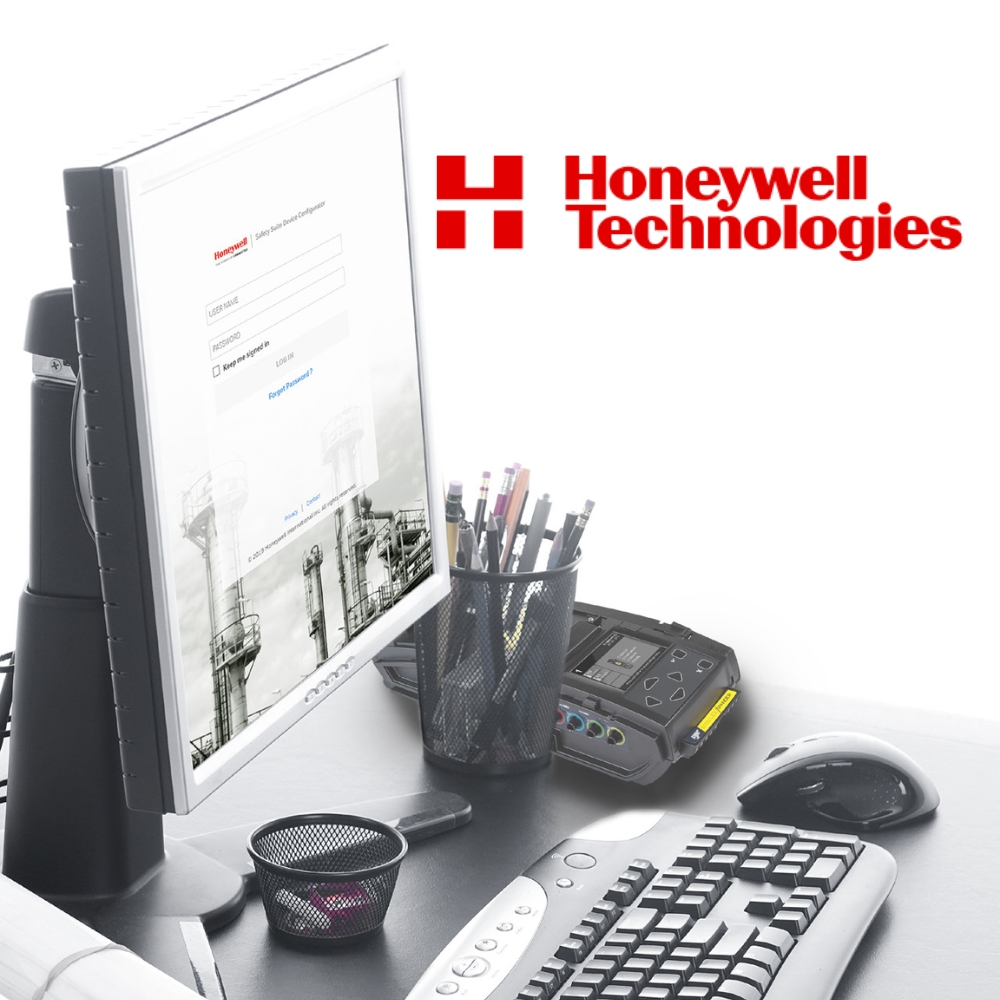
Device Configurator
Gas Detector Fleet Configuration Software
Safety Suite Device Configurator manages and maintains a Honeywell portable gas detector fleet across both the BW and RAE product lines, and it is free of charge. It downloads data logs and configuration settings from instruments, uploads new settings back to them, updates firmware and produces reports. It also runs on a workplace with no internet connection.
KEY BENEFITS
- Free of charge, with no licence to buy or renew
- Covers both the BW and RAE product lines from one application
- Works without an internet connection, so it is available at any time
- Templates let one configuration be applied across a whole fleet rather than instrument by instrument
- Downloads data logs and settings from your instruments in one place
+ more in the Description tab below
It Works Offline, and That Matters More Than It Sounds
Most fleet software now assumes a connection. Device Configurator doesn’t.
It runs in a workplace with no internet connection, so the software is available whenever it’s needed, rather than whenever the network allows. For a remote site, an underground operation, or a plant where the gas detector store is nowhere near a reliable connection, that’s the difference between usable and not.
It also keeps the data local, which matters where an organisation has a policy about where instrument and worker data is allowed to sit.
One Application for BW and RAE
Honeywell’s portable range came from two histories, the BW instruments and the RAE Systems ones, and for years they needed different software. Fleet Manager II covered one, and ProRAE Studio II the other.
Device Configurator covers both, and supports data migration from either. For anyone running a mixed Honeywell fleet assembled over time, that brings two sets of records and two pieces of software into one.
Templates Are the Point
Configuring one instrument is straightforward. Configuring a hundred identically isn’t, and inconsistent alarm setpoints across a fleet are a real problem, not just an untidy one.
Templates are created, edited, stored and uploaded, so a configuration is defined once and applied across the instruments it should cover. That keeps alarm thresholds, settings and policy consistent, and turns a change across the fleet into a single action rather than a hundred.
What It Actually Does
The software downloads data logs and configuration settings from supported instruments, changes and uploads new configuration settings back to them, updates firmware, downloads reports, and creates, edits, stores and uploads templates.
Device History gives a comprehensive view of the data across an instrument’s life, including calibration and bump test records, which is what an audit asks for.
Security and Access
Two things here matter in an organisation, rather than on a single PC.
Data is encrypted, which minimises privacy concerns. Access is role based, with managed access control, so who can see and change what is set deliberately, rather than by whoever happens to have the software installed.
Investigating an Incident
Event reporting is centralised, which is the difference between knowing an instrument alarmed and understanding what happened.
Pulling alarm events across the fleet into one view lets a pattern be seen, where individual instrument logs show only isolated incidents. In an investigation, that’s usually the question being asked.
Connecting to Instruments
Instruments connect through a docking station or directly. IntelliDoX connects over the network, MicroDock II connects by USB, and AutoRAE 2 is also supported. Instruments can also connect directly by USB or Bluetooth.
Administrator privileges on the PC are needed to install it. They aren’t needed to run it afterwards.
Benefits
- Free of charge, with no licence to buy or renew
- Covers both the BW and RAE product lines from one application
- Works without an internet connection, so it is available at any time
- Templates let one configuration be applied across a whole fleet rather than instrument by instrument
- Downloads data logs and settings from your instruments in one place
- Firmware updates managed from the same place as configuration
- Device History gives a full lifecycle view of each instrument, including calibration test data
- Replaces Fleet Manager II and ProRAE Studio II, with migration from both
- Data is encrypted, and access is role based with managed access control
- Centralised event reporting for investigating an incident across the fleet
Product type
PC based fleet management software for Honeywell portable gas detectors. On premise, free of charge
Supported product lines
Honeywell BW Technologies and RAE Systems
Docking stations
IntelliDoX (network or USB), MicroDock II (USB), AutoRAE 2
Instrument connection
USB, Bluetooth Low Energy (with Intel Wireless Bluetooth adapter), LAN for network connected docks
Operating system
Windows 11, or Windows 10 64-bit version 1809 or above
Hardware
1.0 GHz CPU or better, 8 GB RAM, at least 4 GB free disk space for installation (device data needs significantly more), 1366 x 768 colour monitor, USB port
Software requirements
Microsoft .NET Framework 4.6.1 or above (can be installed with the software). Intel Wireless Bluetooth Driver 21.60.0 or above
Internet
Not required. Optional, for product registration
User privileges
Administrator rights to install. Not required to run
Security
Encrypted data, role based access, managed access control
Migration
From Fleet Manager II and ProRAE Studio II (not QRAE II)
- Aviation & Transportation
- Carpark & HVAC
- Chemical Manufacturing
- Confined Space & Compliance
- Energy (Oil & Gas)
- Food & Beverage
- Landfill & Remediation
- Marine & Maritime
- Medical & Healthcare
- Mining & Minerals
- Power Generation & BESS
- Technology & Semiconductor
- Water & Wastewater
No. Safety Suite Device Configurator is free of charge.
No. It runs in a workplace with no connection, which keeps it available at any time and keeps the data local.
Honeywell portable instruments across both the BW and RAE Systems ranges. The supported list is updated as instruments are added, so confirm your specific models with us.
Through IntelliDoX over the network, MicroDock II by USB, or AutoRAE 2. Instruments can also connect directly by USB or Bluetooth.
Yes. Data migration is supported from Fleet Manager II for supported BW instruments, and from ProRAE Studio II for supported RAE instruments. The QRAE II is the exception, as its data can't be migrated.
Windows 11, or Windows 10 64-bit version 1809 or above, with 8 GB of RAM and at least 4 GB of free disk space for the installation. Device data needs considerably more.


Trusted by









Contact Us
Can’t find what you’re looking for? Our team is happy to help.